Model commuter demand before buying shuttle dispatch software - assess demand, routes, cost per rider and emissions for large employers.

If you’re deciding whether to launch an employee shuttle service, you need a commute modelling platform first. If the shuttle is already approved and running, you need shuttle management software. That is the core difference.
Here’s the short version:
At multi-site employers, that mistake gets expensive fast. A route can look fine on a map and still miss the workforce if home locations, shift rosters, gate-entry times, and stop placement were not checked first. And with CSRD / ESRS E1 reporting in play, employee commuting data needs to be defensible, not built on loose assumptions.
| Criteria | Shuttle management software | Commute modelling platform |
|---|---|---|
| Main job | Run an approved shuttle | Test if a shuttle makes sense |
| Best timing | After approval | Before approval |
| Main users | Transport teams, facilities, safety, HR Ops, IT | Finance, HR, mobility, site leads, emissions reporting teams |
| Key inputs | Routes, stops, drivers, vehicles, timetables | PLZ home-location data, shift patterns, site rules |
| Main outputs | Scheduling, dispatch, live tracking, bookings, service control | Demand maps, route tests, load factor, cost per rider, emissions results |
| Answers which question? | “How do I run this shuttle day to day?” | “Should I launch this shuttle at all?” |
| Budget use | Running spend | Pre-approval case |
| Main risk if used too early | It will not fix weak route planning | None - this is the planning step |
The rule of thumb is simple: plan first, run second.
If you’re still deciding where the riders are, which corridor to serve, or whether the service can work at € per boarded rider, you’re not ready for a dispatch tool yet.
Shuttle management software handles the day-to-day running of an approved shuttle service. It does not decide whether the service should exist in the first place, and it does not tell you whether the route plan makes financial sense.
Its role is daily service control. The software manages recurring trips by day of week and shift, lines routes up with badge-in deadlines rather than only shift start times, assigns drivers and vehicles, and sends driver manifests before vehicles leave the depot. Live GPS tracking gives dispatchers a real-time view of the fleet, while riders see live ETA updates on their phones. That’s where dispatch control does the heavy lifting.
It also deals with exceptions: driver call-outs, vehicle breakdowns, weather delays, and one-off demand spikes. These are the moments when manual co-ordination tends to fall apart, and when a dedicated dispatch layer helps keep service on time.
Operational timing is not the same as shift start. If timetables are built only around shift start times, you create a timing risk: a bus can look on time on paper and still get riders through the gate late [2].
This tool starts to help only after the service design is already fixed. The table below shows what that looks like in practice.
| Precondition | What it means in practice |
|---|---|
| Confirmed shuttle concept | Route corridors and stop locations are agreed and geocoded |
| Defined service area | Geographic boundaries and detour tolerances are set |
| Agreed service levels | On-time targets, max ride times, and rider policies are documented |
| Known site schedules | Shift waves and badge-in deadlines are confirmed |
| Approved budget path | Operator contracts are approved, or the internal fleet is staffed with assigned drivers and vehicles |
If eligibility rules are still unclear or stop locations are still unresolved, the software will not close that planning gap for you.
Day-to-day ownership usually sits with transport operations, facilities, and safety managers. HR Operations holds rider eligibility data and manages the HRIS connection that keeps rosters current. IT supports integration work, especially single sign-on and any payroll deduction feeds.
Finance tracks cost per boarded rider and total spend, but the main use case is operational performance, not investment design. In plain terms, this is the tool for the teams that keep vehicles on time and rosters up to date. The upstream decision about whether to fund or redesign the service sits with a different tool.
A commute modelling platform sits before any shuttle launch. Shuttle management software helps you run an approved service. Modelling helps you decide whether that service should exist at all, and what routes and service levels make sense.
It works with data you likely already have, mainly postal codes (Postleitzahlen, PLZ) from your HRIS and shift patterns. So you can assess the case for a shuttle without running a company-wide workforce survey.
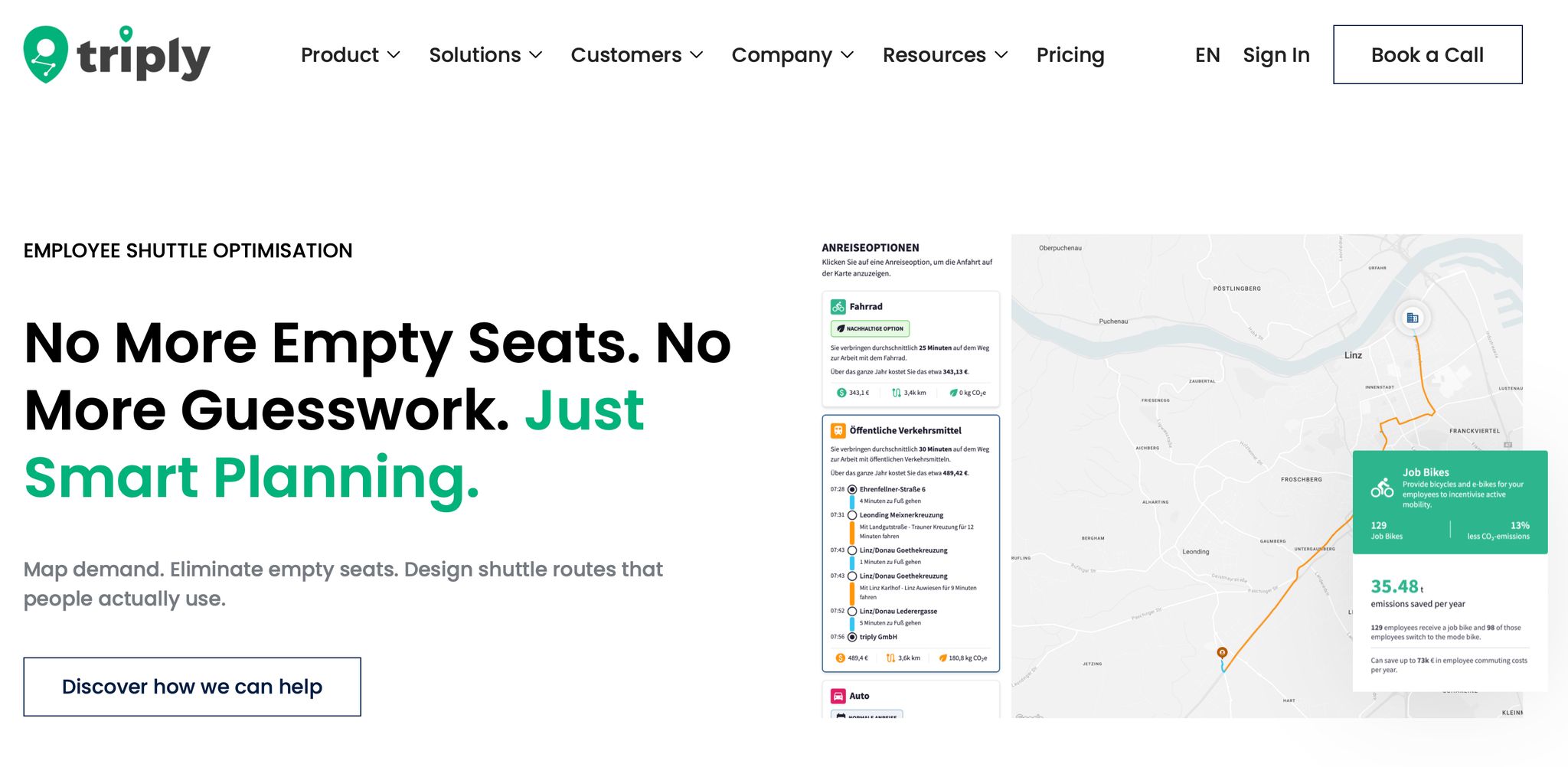
Analyse models how your workforce actually travels based on PLZ-level home locations and shift schedules. That gives you a clear view of where employees live in relation to each site, and which corridors carry the highest demand.
Consolidate pulls multiple sites into one shared view. If you run several plants or offices, you can compare commute profiles across locations instead of handling each site as a separate task.
Simulate lets you test mobility measures before you spend a single euro. You can model a proposed shuttle corridor or a different route design and review likely uptake, load factor, and emissions impact side by side. That makes it much easier to judge whether the shuttle case is strong enough to move ahead.
Report produces audit-ready Scope 3 Category 7 employee commuting emissions from the same commute model, aligned with CSRD and ESRS E1 requirements. Because these figures come from the same model instead of survey-based estimates, they are easier to defend in audit discussions.
Before you sign an operator contract or commit to a vehicle lease, one issue matters most: is there enough demand?
With triply, you can test a candidate corridor against realistic uptake assumptions and see whether the projected load factor supports the business case.
A half-empty shuttle can drive up cost per boarded rider fast and put pressure on the case for approval. The simulation also shows where demand is clustered. Some corridors will support a fixed route. Others may need a different service design. That kind of clarity before procurement can mean the difference between a shuttle that fills seats and one that starts with low load factor on day one.
The same model also helps internal teams work from the same facts. At large employers, a common problem is that finance, sustainability, and operations often assess a mobility measure using different data sets. Finance wants a cost model. Sustainability needs Scope 3 Category 7 figures. Operations wants to know if the corridors are workable.
With triply, those teams share one commute model built around a single procurement case, not three separate reporting tasks. The same data that supports the financial projection also produces the emissions reduction estimate and the corridor demand map.
That shared evidence base makes it easier to bring a credible shuttle proposal to a budget committee, instead of showing up with three spreadsheets that tell three different stories. You can explore how this applies in practice on triply's employee shuttle optimisation use case.
The main question is simple: have you already approved a shuttle, or are you still deciding if it makes sense to launch one?
If the service is already approved, shuttle management software is the right layer. It helps you run the service you’ve already chosen to build.
If you’re still at the decision stage, you need a commute modelling platform first. That’s the tool that tests demand, route fit, load factor, cost per boarded rider, and emissions before you sign a contract for any service. Those outputs support finance, sustainability, and HR decisions. They are not meant for daily dispatch.
This difference becomes clearest at the approval stage.
Shuttle management software can’t test demand, load factor, or cost per boarded rider across route options. Those are planning questions, so they need planning inputs.
A commute modelling platform is built for that exact point in the process. It answers the shuttle question before procurement, so the proposal rests on evidence instead of assumption. [1][3]
That split shapes the order of decisions.
Once a shuttle is live, the key metrics are operational: on-time rate, load factor, and rider NPS. [1]
Before approval, the focus is different. You need projected load factor on a candidate corridor, cost per boarded rider, likely emissions reduction against a single-occupancy baseline, and a view of whether the business case still works across a realistic range of uptake assumptions. [1][3]
Those numbers come from modelling commute patterns against proposed service designs, not from a dispatch tool.
The buying order is straightforward: if you pick shuttle management software before you’ve checked demand and designed a corridor, you’re buying an operations tool for a service that may not yet have a sound business case. Once the shuttle case is proven, operations tooling is the next layer.
Once you've worked out that a planning tool comes first, the next job is building the data baseline behind that decision.
Start with HRIS home postal-code data at PLZ level, site by site. Then check it against shift rosters. Survey data can be useful, but it often shows what people say they prefer, not where they actually live. And if you build routes on preference data instead of home-location data, the route plan is more likely to miss the mark.
Next, layer those origin points with shift rosters, badge-in deadlines, and gate-entry windows, not only the shift start times. That detail matters. A shift start time on its own doesn't tell you much if workers still need to get through security and walk from the drop-off point to the gate.
With that picture in place, you can compare shuttle and non-shuttle options side by side and work out the lowest cost per boarded rider [2][1]. That's the baseline you need to test routes and service levels before committing to live operations.
The order here is pretty simple: use triply to build the baseline, test candidate corridors, and pressure-test the business case across different uptake assumptions.
Only when the numbers support a shuttle, and you've pinned down the route, the operating model, and the expected load factor, does it make sense to move into day-to-day operations tooling.
If you skip the modelling step, you can end up buying shuttle management software for a service that was never properly checked in the first place. A route may look fine on a map and still fall apart on load factor if the demand data was never matched with actual home locations and shift patterns [1]. That's the stage where shuttle management software becomes the next layer.
This article provides general information only and does not constitute legal or tax advice.
First, separate shuttle management software from upstream commute modelling.
Shuttle management software handles day-to-day dispatch and live routes. A commute modelling platform helps you work out whether a shuttle is worth the spend before you sign with an operator.
Then pull together demand data such as:
This is general information, not legal or tax advice.
Yes - you can assess shuttle demand without running a survey.
A solid way to do it is to pull together data you already have inside the business, such as HR shift rosters, badge-in access logs, and past boarding data.
Add in RSVP counts for company events and parking use signals, and you get a much clearer baseline of demand than gut feeling alone.
This is general information, not legal or tax advice.
Move from a commute modelling platform to shuttle management software once your mobility plan is in place and you're ready to handle day-to-day service.
Modelling is the planning stage. It helps you see if you need a shuttle, which routes fit, and what savings you can expect. Once routes and shift patterns are set, operations software takes over bookings, dispatch, driver navigation, and performance analytics. This is general information, not legal or tax advice.

Shuttle management software is used to control an already approved shuttle operation, while a commute modelling platform helps to assess the need for a shuttle in advance.
Migrate to the Shuttle Management Software as soon as your mobility planning is ready and you are ready to take over daily operations.
For the shuttle planning, HR shift plans, badge-in data and historical on-board data are crucial in order to correctly assess demand.
Yes, you can use existing data such as HR shift schedules and credentials to evaluate the shuttle demand without conducting a survey.
Emission reporting software helps to track greenhouse gas emissions and ensure that shuttle programs meet CSRD and ESRS requirements.